Unlocking Digital Creativity: A Guide to Stamp Brushes, Line Art, and Doodle Tools in Procreate
In the rapidly evolving landscape of digital art, accessibility and efficiency have become just as important as raw talent. For aspiring illustrators, graphic designers, and hobbyists, the barrier to entry has lowered significantly thanks to powerful tablet applications like Procreate. However, having the right tools is only half the battle; knowing how to leverage specialized assets can transform a simple sketch into a professional-grade illustration. This is where curated collections, such as the Stamp Brushes Line Art Doodle Procreate set, play a pivotal role in modern creative workflows.
Understanding the utility of digital brushes goes beyond mere aesthetics. It involves recognizing how these tools streamline the artistic process, allowing creators to focus on composition and storytelling rather than repetitive manual drawing. Whether you are designing social media graphics, creating intricate journal entries, or developing concept art, integrating high-quality stamp brushes and line art tools can significantly enhance your output.
The Evolution of Digital Stamping and Line Art
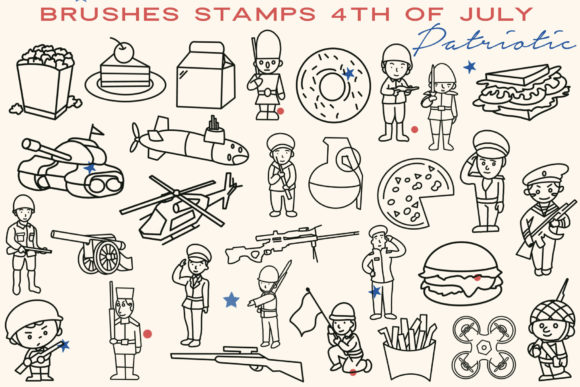
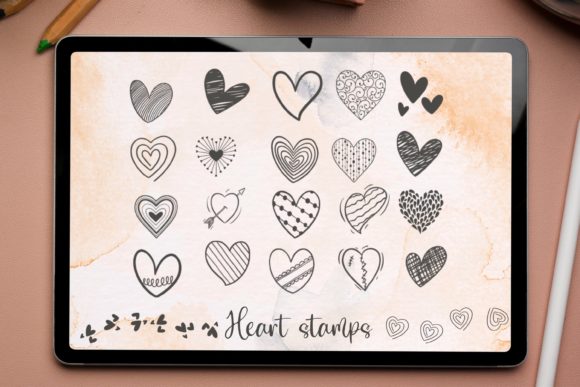
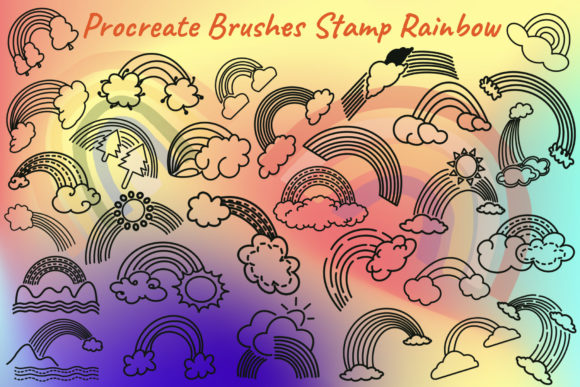
Traditionally, "stamping" was a physical craft involving ink pads and rubber stamps. While charming, this method lacked the flexibility required for fast-paced digital design. Today, digital stamp brushes replicate this tactile experience but with infinite versatility. A brush like those found in the Hello This collection allows users to place complex designs—such as flowers, icons, or decorative borders—with a single tap. This capability is not about cheating the artistic process; rather, it is about optimizing time management.
Line art and doodles serve as the backbone of many illustration styles. Clean, consistent lines are essential for clarity, especially in educational materials, comics, and branding. However, achieving perfect line weight and consistency manually can be time-consuming and frustrating for beginners. Specialized brushes mitigate this challenge by offering pre-configured pressure sensitivity and texture, ensuring that every stroke looks intentional and polished.
Why Specialized Brush Sets Matter
One might ask, "Why not just use the default brushes?" While Procreate’s native library is robust, specialized sets offer distinct advantages:
- Consistency: Custom brushes ensure that every element in your design shares a cohesive visual language.
- Efficiency: Complex patterns that might take hours to draw by hand can be instantiated in seconds.
- Inspiration: Pre-made shapes and doodles can spark new ideas, helping artists overcome creative blocks.
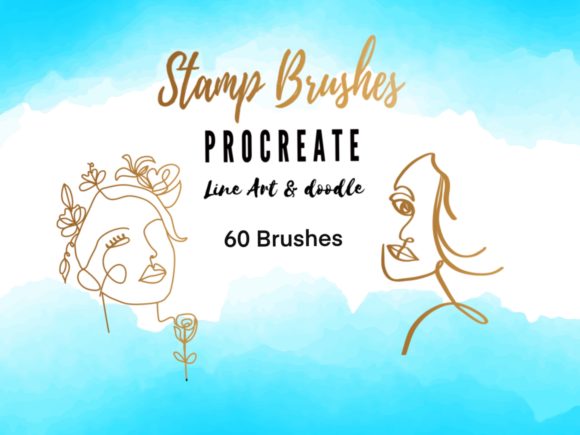
For instance, the 60 stamps brushes set mentioned in many premium collections provides a diverse array of elements. This variety allows artists to mix and match components, creating unique compositions without starting from scratch. It is akin to having a well-stocked pantry; you have all the ingredients ready, allowing you to cook up something delicious quickly.
Exploring the Hello Collection: Features and Benefits
When evaluating a digital asset pack, it is crucial to understand what is included and how it integrates into your workflow. The Hello This collection is designed with the modern digital artist in mind, combining functionality with aesthetic appeal. Here is a breakdown of what makes such a collection valuable:
Comprehensive Brush Variety
The core of this collection is the line art and doodle 60 stamps brushes set. This extensive range covers various themes, ensuring that whether you are working on a whimsical children’s book or a minimalist logo, there is a tool suited for the task. The inclusion of both line art (for structure) and doodles (for decoration) provides a balanced toolkit for comprehensive illustration.
Bonus Color Palettes
Color theory can be daunting for many artists. Choosing harmonious colors often takes as long as the drawing itself. To address this, many high-quality brush sets, including this one, come with a Free procreate color palette featuring 60 colors. These palettes are typically curated by professionals to ensure that the hues complement each other perfectly. By using these pre-selected swatches, artists can maintain visual harmony throughout their project without second-guessing their color choices.
Practical Application: How to Integrate These Tools
Acquiring the tools is the first step; using them effectively is the second. For those new to Procreate, the process of importing and utilizing custom brushes is straightforward but requires attention to detail. Below is a guide on how to get started with your new digital assets.
Step-by-Step Installation Guide
- Purchase and Confirmation: After the purchase payment confirmation, you will receive an email with the download link. Ensure you check your spam folder if the email does not appear in your inbox immediately.
- Download the Files: Click the link to download the files to your iPad. It is advisable to save them in a dedicated folder within your Files app for easy access later.
- Import into Procreate: Open the Procreate app. Tap on the brush icon to open the Brush Library. Then, tap on the "+" sign or the import option, depending on your version, and select the downloaded brush file. The app will automatically install the new brushes into your library.
Once installed, these brushes behave like any native tool. You can adjust size, opacity, and pressure sensitivity to suit your specific style. Experimentation is key; try combining different stamps to create unique textures or layering line art over doodles for depth.
Compatibility and Technical Requirements
It is essential to note that these are digital brushes which will only work in the Procreate App. They are not compatible with Photoshop, Clip Studio Paint, or other software unless specifically converted, which is often a complex process. Furthermore, to fully utilize the pressure-sensitive features of these brushes, you need an iPad Pro, a standard iPad with the Apple Pencil, or a third-party stylus that supports pressure sensitivity.
Without pressure sensitivity, the brushes may still function, but you will lose the dynamic variation in line weight that gives digital art its organic feel. Therefore, investing in a compatible stylus is highly recommended for anyone serious about digital illustration.
The Broader Impact on Creativity and Productivity
Beyond the technical aspects, using tools like the Stamp Brushes Line Art Doodle Procreate set has a broader impact on how we approach creativity. In education, teachers can use these tools to create engaging visual aids quickly. In business, marketers can produce consistent brand assets without hiring expensive illustrators for every minor update. For individuals, it lowers the frustration threshold, making art more accessible and enjoyable.
Common misunderstandings often suggest that using stamps or pre-made brushes diminishes the value of the artwork. However, professional artists view these tools as extensions of their skill set, much like a photographer uses lenses or a writer uses a thesaurus. The creativity lies in how these elements are combined, colored, and contextualized, not just in the manual execution of every single line.
Final Thoughts
Digital art is a journey of continuous learning and adaptation. By incorporating specialized tools like the 60 stamps brushes set and leveraging curated color palettes, artists can elevate their work while saving valuable time. Whether you are a beginner looking to explore the joys of digital drawing or an experienced professional seeking to streamline your workflow, these resources offer significant value.
Have a nice day, and thank you for shopping Infinity Art works. We hope this collection inspires you to create, experiment, and share your unique vision with the world. Remember, the best tool is the one that helps you express yourself most effectively, so dive in, start drawing, and let your creativity flow.