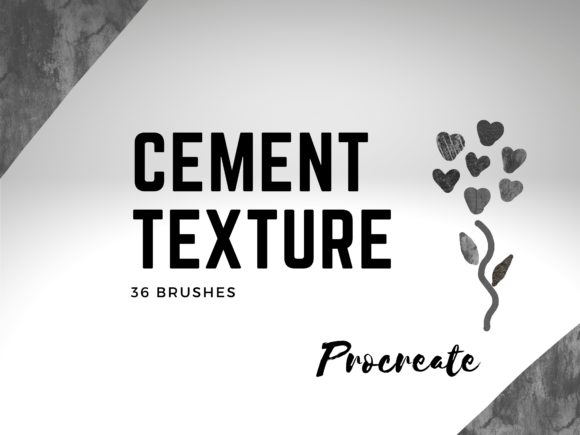
Mastering Industrial Aesthetics with 36 Cement Texture Brushes for Procreate
Digital art has evolved far beyond clean lines and flat colors. Today’s illustrators, designers, and concept artists crave depth, grit, and tangible realism in their work. This is where texture becomes not just an enhancement, but a fundamental element of visual storytelling. For iPad artists using Procreate, achieving that authentic, weathered look can be challenging without the right tools. Enter the 36 Cement Texture Brushes Procreate collection by Infinity Art Works, a specialized toolkit designed to bring the raw, organic feel of concrete and stone directly to your digital canvas.
This comprehensive set does more than just stamp images onto your screen; it integrates seamlessly into the modern digital workflow, offering versatility for everything from architectural visualization to abstract mixed-media pieces. By combining these high-quality brushes with the included free Procreate color palette of 60 colors, artists can unlock a new level of sophistication in their textural work.
The Power of Authentic Concrete Textures in Digital Design
Cement and concrete are ubiquitous in modern architecture and urban landscapes. They represent strength, minimalism, and industrial chic. However, replicating the subtle imperfections of dried cement—the tiny pores, the uneven drying patterns, and the rough surface grain—is difficult using standard round or square brushes. Standard tools often result in textures that look repetitive or artificially generated.
The 36 Cement Texture Brushes Procreate set addresses this gap by providing hand-crafted brush engines that mimic the stochastic nature of real-world materials. Each brush in the collection offers a unique variation of concrete finish. Some emulate smooth, polished screed, while others capture the coarse, aggregate-heavy look of exterior walls. This variety allows artists to avoid the "copy-paste" aesthetic, ensuring that every stroke feels organic and unique.
For graphic designers working on branding projects, these textures provide an immediate way to add sophistication to posters, packaging, and social media graphics. A simple typography layout can be transformed into a striking industrial piece by applying a subtle cement overlay. Similarly, concept artists designing sci-fi environments or post-apocalyptic scenes rely on these realistic surfaces to ground their fantastical elements in a believable reality.
What Is Included in the Collection?
When you invest in this digital asset pack, you are receiving a curated library designed for immediate creative application. The core of the package is the 36 Cement Texture Brushes Procreate files. These are not static images but dynamic brushes that respond to your Apple Pencil’s pressure and tilt, allowing for nuanced control over opacity and density.
In addition to the brushes, the collection includes a free Procreate color palette featuring 60 carefully selected colors. This is a significant value-add, as choosing the right shades of gray, beige, and earth tones is critical when working with concrete textures. Real cement is rarely just "gray." It contains hints of blue, brown, ochre, and even slight greenish tints depending on the age and environment. Having a pre-configured palette saves hours of color picking and ensures that your textures harmonize perfectly with your artwork.
Key Features at a Glance
- 36 Unique Brush Presets: A wide range of concrete finishes, from smooth to rough.
- Pressure Sensitivity: Fully optimized for Apple Pencil dynamics.
- 60-Color Palette: Curated earth tones and industrial grays for realistic shading.
- High Resolution: Designed to maintain clarity even in large-format prints.
- Instant Access: Digital download available immediately after purchase confirmation.
Integrating Textures into Your Creative Workflow
Understanding how to use these tools effectively is key to maximizing their potential. The 36 Cement Texture Brushes Procreate are versatile enough to be used in multiple layers of your artistic process. Here are three common ways artists integrate these brushes into their projects:
- Background Foundations: Start your canvas with a broad cement texture to establish a mood. This works exceptionally well for quote graphics or minimalist illustrations where the background needs to carry visual weight without distracting from the foreground subject.
- Detailing and Weathering: Use the rougher brushes from the set to add wear and tear to 3D models or digital paintings. Adding cracks, stains, and uneven patches to a digital building facade can significantly enhance its realism.
- Mixed Media Effects: Combine the cement brushes with other digital media, such as watercolor or ink. The contrast between the hard, industrial concrete texture and soft, fluid paint creates a compelling visual tension that is popular in contemporary digital art.
The inclusion of the 60-color palette facilitates this workflow. Instead of struggling to find a shadow tone that matches your base concrete layer, you can select from the provided swatches, which are already balanced for natural lighting conditions. This streamlines the shading process and helps maintain color consistency throughout the piece.
Compatibility and Technical Requirements
Before purchasing any digital brush set, it is crucial to understand the technical requirements. These are digital brushes specifically engineered for the Procreate App. They will not work in Photoshop, Clip Studio Paint, or other desktop-based software unless converted, which is not supported by the creator.
To use the 36 Cement Texture Brushes Procreate, you need an iPad capable of running the latest version of Procreate. Ideally, this includes the iPad Pro, iPad Air, or standard iPad models that support the Apple Pencil. Pressure sensitivity is a core feature of these brushes; therefore, using a stylus that supports pressure data (such as the Apple Pencil or compatible third-party alternatives) is essential for getting the most out of the toolset. Without pressure sensitivity, the brushes will still apply texture, but you will lose the ability to vary the intensity and flow dynamically with your hand pressure.
How to Install and Get Started
Getting started with your new tools is a straightforward process. Infinity Art Works has simplified the installation to ensure you can begin creating within minutes of your purchase. Follow these steps to import your new assets:
- Purchase and Confirmation: Complete your purchase through the designated platform. Once the payment is confirmed, you will automatically receive an email containing the secure download link.
- Download the Files: Click the link in your email to download the brush set file (.brushset) and the color palette file (.swatches) to your iPad. It is recommended to save these to your "Files" app for easy access.
- Import into Procreate: Open the Procreate app. Tap on the brush icon to open the Brush Library. Tap on the plus (+) sign or the import option, navigate to your downloaded file, and select it. The 36 Cement Texture Brushes Procreate will appear in your library, ready to use. Repeat the process for the color palette by importing the .swatches file into the Color Disc panel.
Why Choose Infinity Art Works?
The digital marketplace is flooded with generic texture packs, but quality varies significantly. Infinity Art Works distinguishes itself by focusing on usability and artistic integrity. The 36 Cement Texture Brushes Procreate are not just random scans; they are refined tools tested for performance and aesthetic appeal. The addition of the free 60-color palette demonstrates a commitment to providing a complete solution rather than just isolated assets.
Furthermore, the customer experience is prioritized. With clear instructions and reliable delivery via email, artists can spend less time troubleshooting and more time creating. Whether you are a professional illustrator looking to expand your toolkit or a hobbyist experimenting with industrial design themes, this collection offers the reliability and quality needed to elevate your digital art.
By incorporating these textured brushes into your repertoire, you open up new possibilities for expression. You can convey the coldness of a city street, the warmth of aged stone, or the stark beauty of minimalism with just a few strokes. Have a nice day, and thank you for shopping with Infinity Art Works. Your next masterpiece awaits.