Enhancing Natural and Eco-Friendly Designs with Green Foliage Illustrator Brushes
In the realm of digital illustration, the demand for organic, nature-inspired aesthetics continues to grow. Designers working on branding, packaging, editorial layouts, and seasonal campaigns often seek tools that can efficiently replicate the complexity of the natural world. Green Foliage Illustrator Brushes represent a specialized resource designed to meet this need, offering a collection of vector-based pattern brushes that simulate plant life with precision and flexibility. This article explores the functionality, versatility, and practical applications of these brushes, helping designers evaluate whether they align with their workflow and creative objectives.
Understanding the Core Functionality
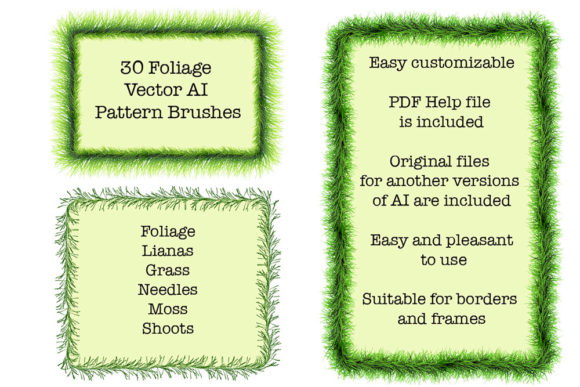
At its essence, this resource is a set of 30 distinct pattern brushes created for Adobe Illustrator. Unlike standard raster images or static vectors, pattern brushes in Illustrator allow users to paint along a path, automatically repeating and adjusting the artwork to fit the curve. The Green Foliage Illustrator Brushes pack includes a diverse array of botanical elements, such as foliage, moss, lianas, grass, needles, shoots, sprouts, and stems. This variety ensures that designers are not limited to a single type of greenery but can mix and match elements to create rich, layered compositions.
The technical foundation of these brushes is crucial for professional use. The package includes original files in both AI (compatible with Illustrator CS5 and later) and EPS 10 formats. This dual-format approach ensures broad compatibility, allowing users with older software versions to access the vector data without issues. Furthermore, the inclusion of a PDF help file with screenshots provides guidance on installation and usage, reducing the learning curve for those less familiar with brush customization in Illustrator.
Versatility in Design Applications
One of the primary advantages of using Green Foliage Illustrator Brushes is their adaptability across different design contexts. While the immediate association might be with spring or summer themes due to the vibrant green palette, the utility of these brushes extends far beyond seasonal limitations.
Eco-Friendly and Natural Branding
For brands emphasizing sustainability, organic ingredients, or environmental responsibility, these brushes offer an immediate visual shorthand. The ability to create endless green ribbons, friezes, and edging allows for the development of unique borders and frames that feel hand-drawn yet remain perfectly scalable. Because the brushes are vector-based, they maintain crisp edges at any size, making them suitable for everything from business cards to large-format banners.
Seasonal and Holiday Decorations
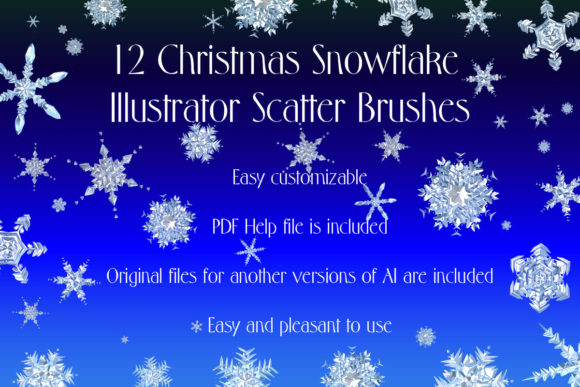
Contrary to the assumption that green foliage is strictly for warm-weather designs, these brushes are highly effective for Christmas and winter-themed projects. Pine needles, sprigs, and dense evergreen patterns are essential components of holiday aesthetics. By adjusting the color parameters within Illustrator, designers can easily transform the default green hues into deeper forest tones, frost-covered whites, or festive golds. This flexibility means a single brush set can serve multiple seasonal campaigns, enhancing its value proposition.
Customization and Creative Control
A significant distinction between pre-made clipart and dynamic brushes like the Green Foliage Illustrator Brushes is the level of control afforded to the user. With static images, resizing often leads to distortion or loss of quality. In contrast, these brushes allow for real-time adjustment of color, size, and thickness. If a design requires a delicate, thin vine for a subtle background element, the brush stroke width can be reduced instantly. Conversely, for a bold header underline, the same brush can be thickened without losing detail.
Moreover, the vector nature of the files means that every anchor point and curve is editable. Advanced users can modify the underlying brush definitions to create entirely new variations. For instance, combining a moss brush with a stem brush can create complex, intertwined textures that would be time-consuming to draw manually. This capacity for customization ensures that the resulting artwork remains unique, avoiding the generic look often associated with stock assets.
Comparing Vector Brushes to Alternative Resources
When evaluating design resources, it is important to consider how Green Foliage Illustrator Brushes compare to other options available to illustrators and graphic designers.
- Vector Brushes vs. Raster Textures: Raster textures (such as high-resolution photos of leaves) offer photorealism but lack scalability. They can become pixelated when enlarged and are difficult to integrate seamlessly into vector-based layouts. Vector brushes, while stylized, offer infinite scalability and smaller file sizes, making them ideal for print and web applications where performance and clarity are paramount.
- Pattern Brushes vs. Individual Symbols: Using individual symbol instances for each leaf or stem provides maximum control over placement but is incredibly time-consuming. Pattern brushes automate the repetition process, allowing for rapid creation of long borders or intricate frames. While symbols are better for scattered, random arrangements, brushes excel at continuous lines and structured edges.
- Pre-made Packs vs. Custom Creation: Creating custom brushes from scratch requires significant time and technical skill in defining tile patterns and spacing options. For professionals working under tight deadlines, purchasing a curated pack like this one offers a efficient shortcut. However, designers seeking highly specific, niche botanical accuracy may still need to create custom brushes, using this pack as a starting point or reference.
Technical Considerations and Limitations
While the Green Foliage Illustrator Brushes offer substantial benefits, there are practical considerations to keep in mind. The ZIP archive size is 41.3 MB, which is relatively modest for modern storage standards but indicates a rich set of vector data. Users should ensure they have adequate disk space and a stable internet connection for download.
Compatibility is another key factor. Although the brushes are compatible with Illustrator CS5 and later, users of significantly older versions may encounter issues. Additionally, while the brushes are designed to be intuitive, achieving the desired aesthetic often requires experimentation with stroke profiles and color overlays. Beginners may need to consult the included PDF help file or seek additional tutorials to fully leverage the potential of pattern brushes.
It is also worth noting that while the brushes provide a strong foundation, they are not a substitute for artistic judgment. Overuse of any single brush style can lead to repetitive, monotonous designs. Best practices involve layering different brushes, varying opacity, and integrating hand-drawn elements to create depth and visual interest.
Decision Factors for Designers
Deciding whether to incorporate Green Foliage Illustrator Brushes into your toolkit depends on several factors:
- Project Requirements: If your work frequently involves natural themes, eco-branding, or seasonal decorations, this resource offers high utility. For designers focused on geometric or industrial styles, the relevance may be lower.
- Workflow Efficiency: If you currently spend hours drawing individual leaves or searching for suitable stock vectors, these brushes can significantly reduce production time. The ability to quickly generate endless ribbons and edging is a major productivity booster.
- Budget and Value: Compared to hiring an illustrator to create custom botanical assets, purchasing a brush pack is a cost-effective solution. The inclusion of both AI and EPS files adds long-term value, ensuring usability across different software environments.
- Skill Level: Intermediate to advanced Illustrator users will find the most immediate value, as they can fully exploit the customization features. However, beginners willing to learn the basics of brush application can also benefit from the structured guidance provided in the help file.
Final Thoughts on Integrating Natural Elements
The Green Foliage Illustrator Brushes represent a versatile and practical tool for modern digital designers. By combining the scalability of vector graphics with the organic beauty of plant life, they bridge the gap between efficiency and artistic expression. Whether used for creating elegant wedding invitations, robust eco-friendly packaging, or festive holiday cards, these brushes offer a reliable foundation for naturalistic design.
As with any design resource, the key to success lies in thoughtful application. By understanding the strengths of pattern brushes, recognizing their limitations, and experimenting with customization, designers can create compelling, unique artwork that resonates with audiences. For those looking to enhance their library with high-quality, adaptable botanical elements, this collection warrants serious consideration. If you find these tools valuable in your creative process, sharing feedback and ratings helps support the developers and informs the broader design community.