Mastering Professional Document Design with 21 Guilloche Border Illustrator Brushes
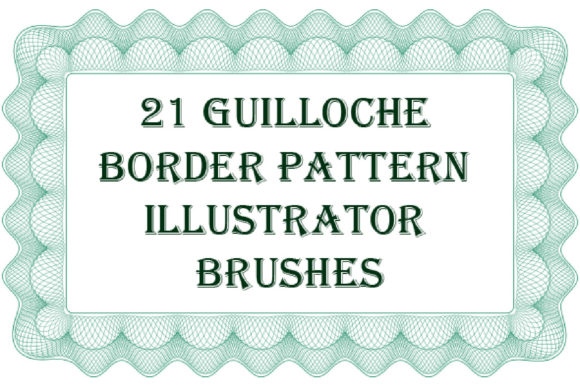
In the realm of graphic design, few elements convey authority, authenticity, and prestige quite like the intricate patterns known as guilloche. Historically used in banknotes, passports, and stock certificates to prevent forgery, these complex, interlacing geometric designs have become a staple for modern designers creating high-value documents. However, recreating these patterns from scratch is a labor-intensive process that requires advanced mathematical precision and vector skills. This is where the 21 Guilloche Border Illustrator Brushes become an indispensable resource for creative professionals. By integrating this specialized toolset into your workflow, you can elevate the visual integrity of your projects while significantly reducing production time.
The Challenge of Creating Security-Style Borders
Designers often face a specific set of challenges when tasked with creating certificates, diplomas, vouchers, or official documentation. The primary goal is to establish a visual language that screams "official" and "secure." Clients expect these documents to look tamper-proof and elegant. Traditionally, achieving this look involves one of two difficult paths: manually drawing complex vector paths using the pen tool, which is incredibly time-consuming and prone to inconsistency, or purchasing static clip-art borders that lack flexibility.
Static images pose a significant limitation. If a client requests a change in color, thickness, or dimensions, a raster image or a fixed vector path often distorts or loses quality. Furthermore, matching the corner joints of a static border to fit various paper sizes or aspect ratios can result in awkward gaps or overlapping lines. The need for a dynamic, scalable, and easily customizable solution is critical for any designer working in the corporate, legal, or educational sectors. This is precisely the gap that the 21 Guilloche Border Illustrator Brushes are designed to fill.
A Flexible Solution for Dynamic Design
The core advantage of using pattern brushes in Adobe Illustrator lies in their adaptability. Unlike static images, the 21 Guilloche Border Illustrator Brushes allow you to apply complex security-style patterns to any path you draw. Whether you need a simple rectangular frame for a diploma or a winding, organic ribbon for a decorative voucher, the brush adapts to the shape seamlessly. This flexibility means you are no longer constrained by pre-made templates. You have complete creative control over the layout while maintaining the intricate detail that defines guilloche art.
One of the most notable features of this collection is the precision of the initial line work. The initial thickness of the line, provided the brush scale is unchanged, is equal to 0.113 pt. This fine baseline ensures that when you scale the brush up or down, the details remain crisp and vector-sharp. You can easily adjust the size, color, or thickness to match your brand guidelines or the specific aesthetic of the document. For instance, a subtle, thin gold line might be perfect for a luxury wedding invitation, while a bold, dark blue border may be more appropriate for a corporate award certificate.
Comprehensive Toolkit and Compatibility
When investing in digital assets, compatibility and ease of use are paramount. This collection is fully compatible with Illustrator CC, ensuring that users on the latest software versions can integrate these brushes without technical hurdles. Recognizing that many professional studios still rely on older, stable versions of the software, the package also includes Ai Illustrator CS and EPS 8 original files. This backward compatibility ensures that regardless of your workspace setup, you can access and utilize the 21 Guilloche Border Illustrator Brushes effectively.
The package is lightweight yet comprehensive, with a ZIP archive size of just 8.45 MB. Despite its small footprint, it contains a robust variety of patterns. The inclusion of a PDF help file with screenshots is a thoughtful addition that streamlines the onboarding process. For designers who may not be experts in Illustrator’s brush engine, this guide provides step-by-step instructions on how to install, apply, and modify the brushes. It removes the guesswork, allowing you to focus on design rather than troubleshooting technical settings.
Practical Applications and Creative Outcomes
The versatility of these brushes opens up a wide array of practical applications beyond standard certificates. Consider the following scenarios where these tools can enhance your design output:
- Corporate Documentation: Create branded letterheads, official memos, or employee recognition awards that carry a sense of formal importance.
- Educational Institutions: Design diplomas, course completion certificates, and honor roll notices that look prestigious and authentic.
- Event Ticketing and Vouchers: Generate high-security looking tickets for concerts, galas, or exclusive events, where the guilloche pattern adds a layer of perceived value and anti-counterfeit aesthetics.
- Luxury Packaging: Use the finer rosettes and frames to add elegant detailing to product labels, box designs, or premium packaging inserts.
Beyond straight borders, the collection allows you to create endless guilloche ribbons, friezes, and edging. You can also generate guilloche rosettes and frames, which are essential for highlighting specific areas of a document, such as a seal, a logo, or a signature field. The ability to change colors instantly means you can repurpose the same border design for different clients or seasons without starting from scratch. For example, a single brush stroke can be transformed from a classic black-and-white legal document border to a festive red-and-green holiday certificate in seconds.
Tailoring the Approach for Different Users
Different designers will approach the 21 Guilloche Border Illustrator Brushes in unique ways depending on their expertise and needs. For novice designers, the pre-set brushes offer a quick win, allowing them to produce professional-grade work without needing to understand the complex geometry behind guilloche patterns. They can rely on the default settings and simply adjust colors to meet client briefs.
For advanced users and vector artists, the included original files offer a deeper level of customization. Since you can make any brush for yourself in your Illustrator version, experienced designers can deconstruct the existing patterns to create new variations. They might combine elements from different brushes, adjust the anchor points for unique curvature, or modify the stroke profiles to create entirely new proprietary styles. This dual-layer utility makes the collection valuable for both beginners seeking efficiency and experts seeking a foundation for further innovation.
Implementation Tips for Best Results
To get the most out of these brushes, consider a few best practices during implementation. First, always expand your appearance only after you are final with the size and position of the border. This keeps the vector data editable until the very last moment. Second, pay attention to the corner settings in the Stroke panel. Adjusting how the brush handles corners can prevent unwanted overlaps or gaps in sharp angles, ensuring a seamless continuous line. Finally, experiment with opacity and blending modes. Overlaying a guilloche border with a subtle gradient or texture can add depth and a tactile feel to digital designs, mimicking the embossed look of physical security paper.
In conclusion, the 21 Guilloche Border Illustrator Brushes represent a powerful solution for designers aiming to produce secure, elegant, and professional documentation. By eliminating the tedious process of manual pattern creation and offering full compatibility across Illustrator versions, this toolset empowers you to deliver high-quality results efficiently. Whether you are designing a single certificate or a full suite of corporate branding materials, these brushes provide the flexibility and precision needed to meet modern design standards. If you find this resource enhances your workflow, please consider rating it to help other designers discover its value.