Mastering Egyptian Hieroglyph Illustrator Brushes for Authentic Design
Integrating the mystique and grandeur of ancient Egypt into modern graphic design requires more than just a font choice or a stock photo overlay. It demands precision, historical texture, and seamless integration with your existing workflow. This is where Egyptian Hieroglyph Illustrator Brushes become an indispensable tool for designers, illustrators, and digital artists. Whether you are working on a museum exhibition catalog, a themed event invitation, or a high-concept branding project, these specialized brushes offer a bridge between ancient history and contemporary digital artistry.
The challenge many creatives face when attempting an Egyptian aesthetic is the rigidity of standard vector assets. Traditional clipart often feels static and disconnected from the flow of a layout. Hand-drawing hieroglyphs is time-consuming and requires a level of epigraphic knowledge that most designers do not possess. Antique hieroglyphic vector Adobe Illustrator brushes solve this problem by providing dynamic, scalable, and editable elements that behave like natural drawing tools rather than static images. They allow for the creation of endless ribbons, friezes, and decorative edging that can be manipulated in real-time, ensuring that your design remains flexible throughout the creative process.
Understanding the Toolkit: More Than Just Stamps
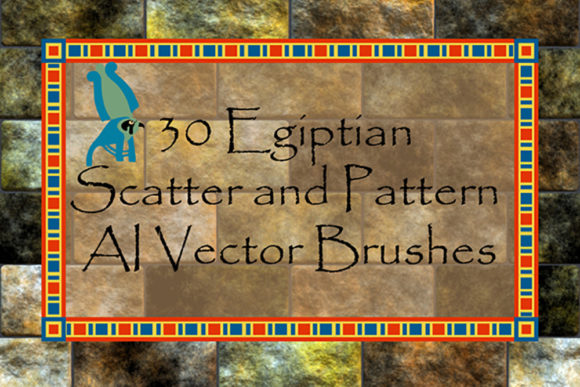
To fully leverage the potential of this resource, it is essential to understand what constitutes a high-quality brush set. The Egyptian Hieroglyph Illustrator Brushes package is designed with versatility in mind, offering a comprehensive suite of tools that cater to various decorative needs. The collection includes 14 scatter vector brushes featuring elements of papyrus decor and fragments of inscriptions. These scatter brushes are particularly useful for adding texture and organic variation to backgrounds or borders, mimicking the uneven, hand-carved look of authentic stone reliefs.
In addition to scatter effects, the set provides 16 pattern vector brushes dedicated to hieroglyphic writing friezes. Pattern brushes are critical for creating continuous lines of text or decorative borders that wrap around objects or frame content. Unlike simple repeating patterns, these brushes maintain the integrity of the hieroglyphic symbols while allowing you to adjust the scale and spacing. This means you can create a delicate, thin border for a business card or a bold, thick frieze for a poster header without losing resolution or clarity.
One of the standout features of this toolkit is the inclusion of corner and terminal elements. In professional design, the ends of lines and the corners of frames are often the most difficult areas to perfect. Standard brushes often leave awkward gaps or overlapping artifacts at these junctions. With dedicated corner and terminal vectors, your Egyptian-style borders will look polished and intentional, with seamless transitions that enhance the overall professionalism of your work.
Practical Applications and Design Flexibility
The true value of Antique hieroglyphic vector Adobe Illustrator brushes lies in their adaptability. Because these are vector-based tools, they are resolution-independent. You can scale them up for a large-format banner or down for a small web icon without any loss in quality. Furthermore, because they are native Illustrator brushes, you retain full control over their appearance. You can easily change the color, size, or thickness of the strokes to match your specific color palette or design hierarchy.
Consider a scenario where you are designing a vertical banner for a cultural festival. Using the vertical layout option included in the brush set, you can create a column of hieroglyphs that reads traditionally from top to bottom. Conversely, for a horizontal website header, you can switch to the horizontal layout mode. This dual-orientation capability ensures that your designs respect the historical context of the script while fitting modern compositional requirements.
For educators and historians, these brushes offer a way to create engaging visual aids. Instead of relying on low-resolution photographs of artifacts, you can generate clean, clear diagrams of hieroglyphic sequences. The ability to isolate specific fragments of inscriptions allows for detailed analysis and presentation, making complex historical data more accessible to students and audiences.
Technical Compatibility and Ease of Use
A common concern when purchasing digital assets is compatibility with existing software versions. This brush set is designed to be accessible to a wide range of users. It is fully compatible with Illustrator CS5, ensuring that those who have not upgraded to the latest Creative Cloud subscriptions can still utilize these powerful tools. Moreover, the package includes original AI Illustrator 10 and EPS 10 files. This backward compatibility is crucial for agencies or freelancers who may need to share files with clients using older software environments.
For advanced users who prefer customization, the inclusion of original vector files means you are not limited to the pre-made brushes. You can deconstruct the elements, modify the shapes, and create your own custom brushes within your version of Illustrator. This openness encourages creativity and allows for a deeper level of personalization. Whether you want to combine different hieroglyphs or alter the weight of the papyrus textures, the source files provide the foundation for infinite variations.
To ensure a smooth onboarding experience, the package includes a PDF help file with screenshots. This guide walks you through the installation process and offers tips on how to apply the brushes effectively. For those new to Illustrator’s brush engine, this documentation is invaluable, reducing the learning curve and allowing you to start creating immediately.
Optimizing Your Workflow with Vector Assets
Efficiency is key in professional design. The Egyptian Hieroglyph Illustrator Brushes are optimized for performance, with the entire ZIP archive weighing in at a manageable 4.46 MB. This lightweight footprint ensures that your Illustrator files remain fast and responsive, even when multiple brush strokes are applied. Unlike raster-based textures that can bloat file sizes and slow down rendering, these vector brushes keep your documents lean and editable.
When implementing these brushes, consider the principle of layering. Start with a base pattern brush to establish your primary border or text line. Then, use the scatter brushes to add depth and noise, simulating the weathered look of ancient stone. Finally, apply the corner and terminal elements to finalize the structure. This layered approach creates a rich, textured look that feels authentic and hand-crafted.
It is also important to consider color theory when working with Egyptian motifs. While black ink on white paper is the standard representation of hieroglyphs, ancient Egyptians used a vibrant palette including lapis lazuli blue, turquoise, gold, and red ochre. Since these brushes are vector paths, you can experiment with these historical colors easily. Try applying a gradient mesh to a frieze to simulate the gleam of gold leaf, or use muted earth tones for a more archaeological, excavated feel.
Who Benefits Most from These Tools?
Different users will approach Egyptian Hieroglyph Illustrator Brushes with different goals. Graphic designers working on packaging for luxury goods, such as perfumes or chocolates, can use the intricate friezes to convey elegance and exoticism. Web designers might use the lighter papyrus elements as subtle background textures that add character without overwhelming the user interface. Illustrators creating comic books or storyboards set in ancient times will find the scatter brushes invaluable for quickly populating scenes with authentic environmental details.
Even hobbyists and students can benefit from this resource. The ease of use means that you do not need to be an expert in Egyptology to create visually striking designs. The brushes handle the heavy lifting of symbol accuracy and alignment, allowing you to focus on composition and storytelling. However, it is always recommended to cross-reference your designs with historical sources if accuracy is paramount, as artistic license often plays a role in decorative applications.
In conclusion, Antique hieroglyphic vector Adobe Illustrator brushes are more than just a collection of shapes; they are a comprehensive design solution for anyone looking to incorporate Egyptian aesthetics into their work. By combining historical authenticity with modern digital flexibility, these tools empower creators to produce high-quality, professional-grade designs efficiently. Whether you are framing a certificate, designing a book cover, or illustrating a historical narrative, these brushes provide the precision and versatility needed to bring your vision to life. If you find this toolkit enhances your creative process, please consider rating it to help other designers discover this valuable resource. Thank you.